

Run your whole schoolfrom one place.
A parent app, a staff app and a school portal. Attendance, fees, homework, circulars, admissions and your P&L, all connected.
Free until 31 March 2027·no credit card — pay from the new session
Today it's WhatsApp screenshots and a register.
Here's the same month with ClassRoots.
Four moments every school owner knows — each one links to where this page shows it working.
- Fee day
- Today
Parents post payment screenshots in the class group or send them to the office phone. Someone scrolls, ticks the register, writes a receipt — and the next reminder still reaches the parent who already paid.
- With ClassRoots
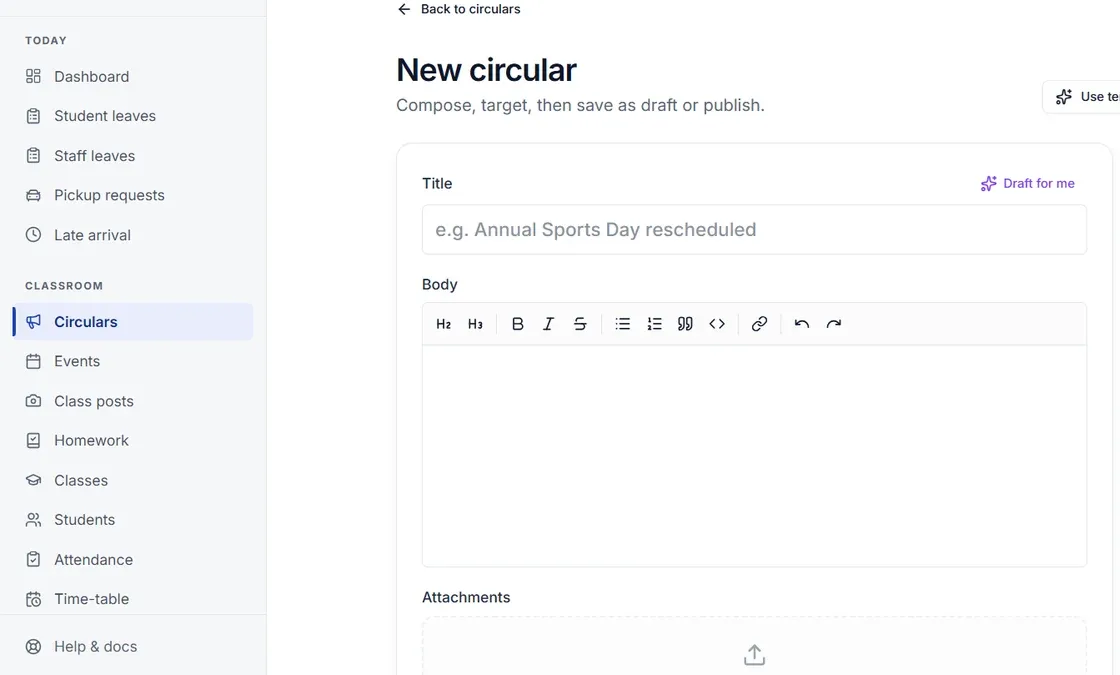
The screenshot arrives on the fee itself, and that fee’s reminders stop. Your office checks it and confirms in one click; the receipt number comes from your own series.
See it, step by step ↓ - Bills
- Today
Bills in a drawer and cash spends in a notebook, added up when the auditor asks.
- With ClassRoots
Photograph the bill on the principal’s phone. AI fills in the amount, shop, invoice number, GSTIN and date; you check it and save, and the bill stays attached.
The rest of the books ↓ - Month end
- Today
You find out whether the year made money when your CA tells you.
- With ClassRoots
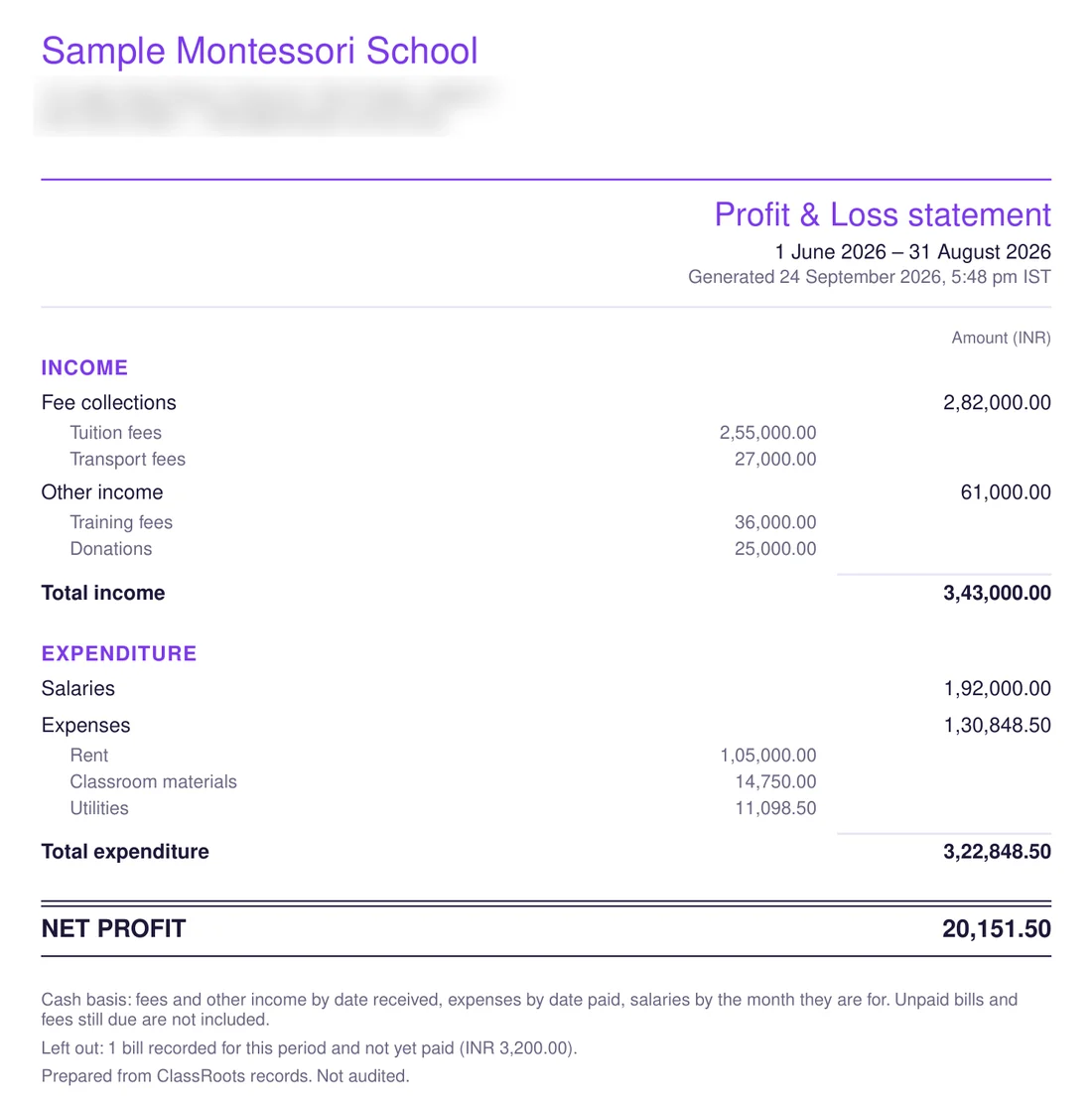
Download a P&L statement for any month, quarter or financial year — a PDF on your letterhead or an Excel file — and give your accountant a TallyPrime import file of receipts.
See the statement ↓ - 8:30 AM
- Today
Phone calls to find out which classes haven’t taken the register, which teacher is on leave, and who rang about admission.
- With ClassRoots
Absentees class by class and staff in or on leave — on the principal’s phone. Switch on your online admission form and each new enquiry lands there too.
The principal’s phone ↓
Messaging parents is half the job. ClassRoots also runs the money.
One fee, from the parent's phone
to your accountant.
Real screens from a ₹10.27 test fee on the ClassRoots demo school, then a real P&L statement generated from sample data. Five steps — and nobody chases a parent who has already paid.



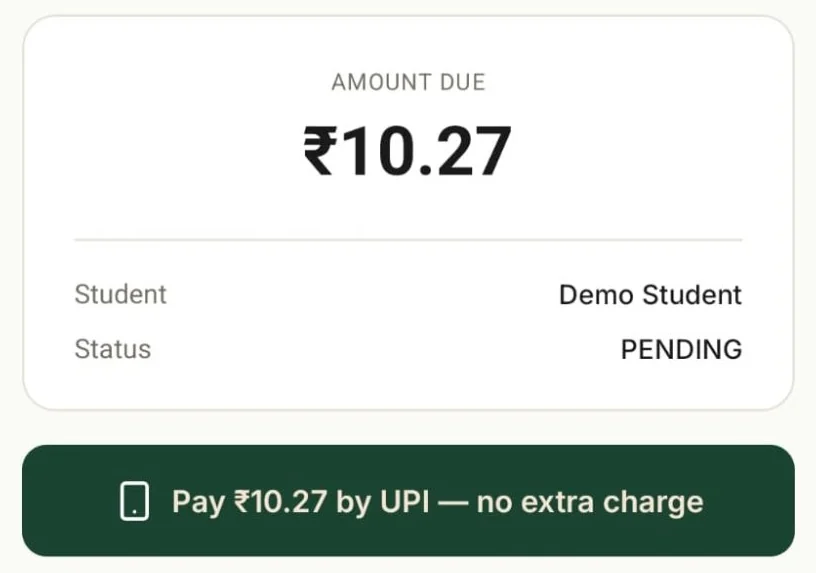 Parent app · the fee is due
The parent pays your school’s UPI ID.
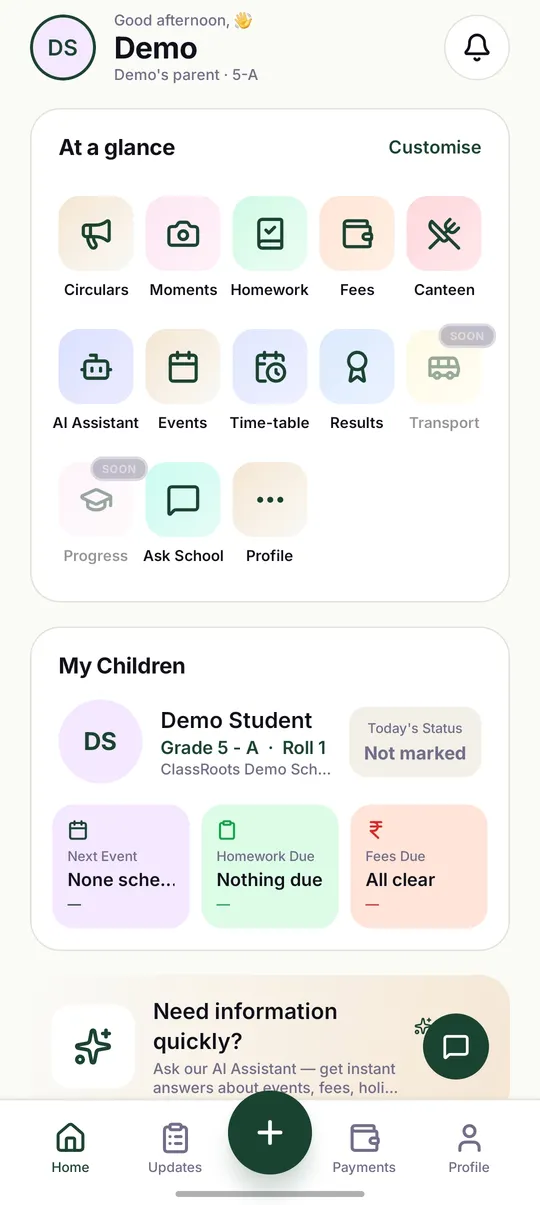
They see exactly what’s due and pay it from their own UPI app — copy your UPI ID or scan the QR. The exact fee: no gateway in the middle, and ClassRoots adds nothing on top.
Pay by UPI appears once you add your UPI ID under Settings → Fees.
Today: “Sir, which number should I GPay?” in the class group.
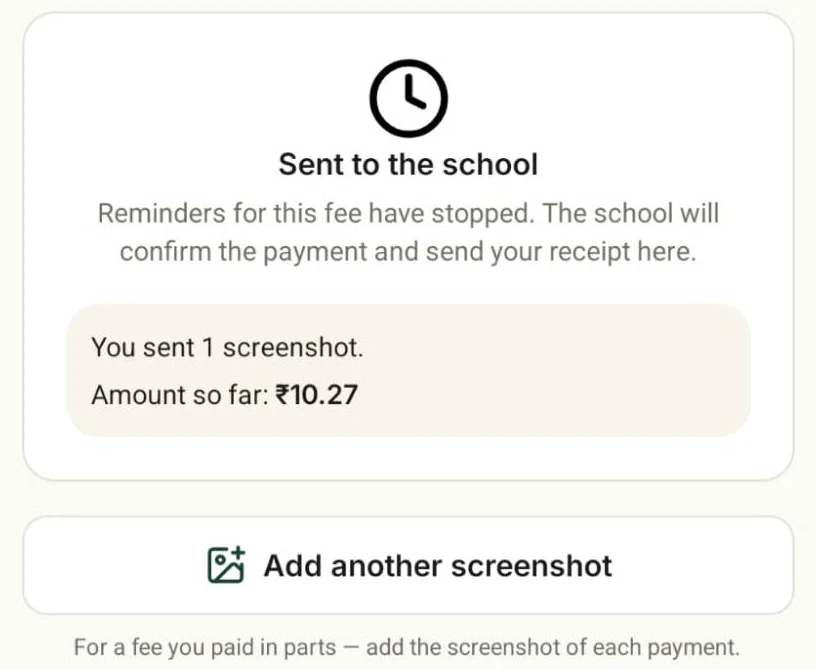 Parent app · a minute later
They share the screenshot. The reminders stop.
Or type the transaction ID instead. The fee shows as sent to the school at once, so nobody chases a parent who has already paid. Paid in parts? They add a screenshot for each payment.
Today: Reminder number three goes to a parent who paid last week.
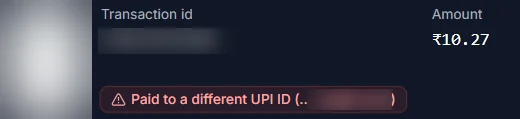
 School portal · your office
Your office checks it against the screenshot.
AI reads the transaction ID, amount, date and who was paid, and sets it beside the image. If the money went to a different UPI ID, or the transaction ID has been used before, your office is warned — as it was on this test, which was paid to a different UPI ID.
AI reads; it never marks anything paid, and it isn’t a bank check — your office confirms against your bank or UPI app. With AI off, the screenshot still reaches your office for a person to read.
Today: Scroll WhatsApp, open the bank app, compare by eye.

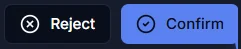
 School portal · one click
Confirm, and the receipt goes to the parent.
Confirmed, the fee shows Paid and the receipt lands in the parent’s app, numbered in your own series — your prefix, gap-free for the financial year. Short? Ask for the balance. Wrong? Reject it with a reason.
Today: A handwritten receipt book, and a register to tick.
- Month end · your accountant
It’s already in your books.
Every confirmed fee is counted in the P&L, beside other income, salaries and the expenses you photographed. Download a statement for any month, quarter or financial year — a PDF on your letterhead, or Excel with every receipt and expense behind the totals — and export a TallyPrime file of fee and other-income receipts.
Cash basis and marked “Not audited”, because it isn’t — not a balance sheet. Tally is an export of receipts, not a sync. The statement shown is a real one, generated from a sample school’s data rather than from the test fee above.
Today: Retyping a year of receipts for the CA.

How it switches on: Pay by UPI appears in the parent app once you add your school's UPI ID under Settings → Fees. Screenshots are read by AI (Anthropic, in the US); turn AI off and they still reach your office for a person to read. Card and net-banking payment inside the app is set up per school, on request. Exactly what is sent
The rest of the books, kept as you go.
Bills, receipts, reminders and salaries — in the same records as the fee above.
Photograph a bill. The expense fills itself.
On the principal’s phone, AI reads the amount, shop, invoice number, GSTIN, date and a suggested category from a photo or PDF. You check it and save; the bill stays attached, and a GSTIN with a one-character typo is refused.
A P&L statement for the auditor
Fees and other income — training fees, donations — against salaries and expenses, for any month, quarter or financial year: a PDF on your letterhead, or an Excel workbook with every receipt and expense behind the totals. Cash basis, and marked “not audited”, because it isn’t.
Receipts in your own series, and a Tally export
Gap-free receipt numbers per financial year, with your own prefix and starting number, and a collection register split by payment method, as CSV. Your accountant gets a TallyPrime import file of fee and other-income receipts.
Reminders on every due date
For every unpaid fee with a due date: three days before, on the day, then 7 and 14 days late — whether or not you collect online. A reported fee drops out at once, and a fully waived child is never chased.
Bus, club and optional fees — to exactly the right children
Bill a fee to a list of students instead of a whole grade: paste admission numbers, preview, confirm. Late fees work the same way — a list your office reviews, never an automatic fine.
Salaries and payslips
Record the month’s salaries for every teacher in one tap, with unpaid-leave deductions worked out from your leave policy; the money itself goes through your bank as it does today. Each payslip is a PDF on your letterhead that staff download from their app.
The ClassRoots promise
Strong roots.
Strong schools.
The unseen infrastructure beneath every thriving school — fees that come in, books that add up, and a morning that runs from your phone.
Your school before 9 AM, on your phone.
The principal and correspondent see who's absent, class by class, which classes haven't taken the register, and which staff are in, late or on leave. Through the day, a bill becomes an expense, leave requests wait for one tap, and — once you switch on your online admission form — each new enquiry buzzes the phone.
Today: three phone calls before assembly.
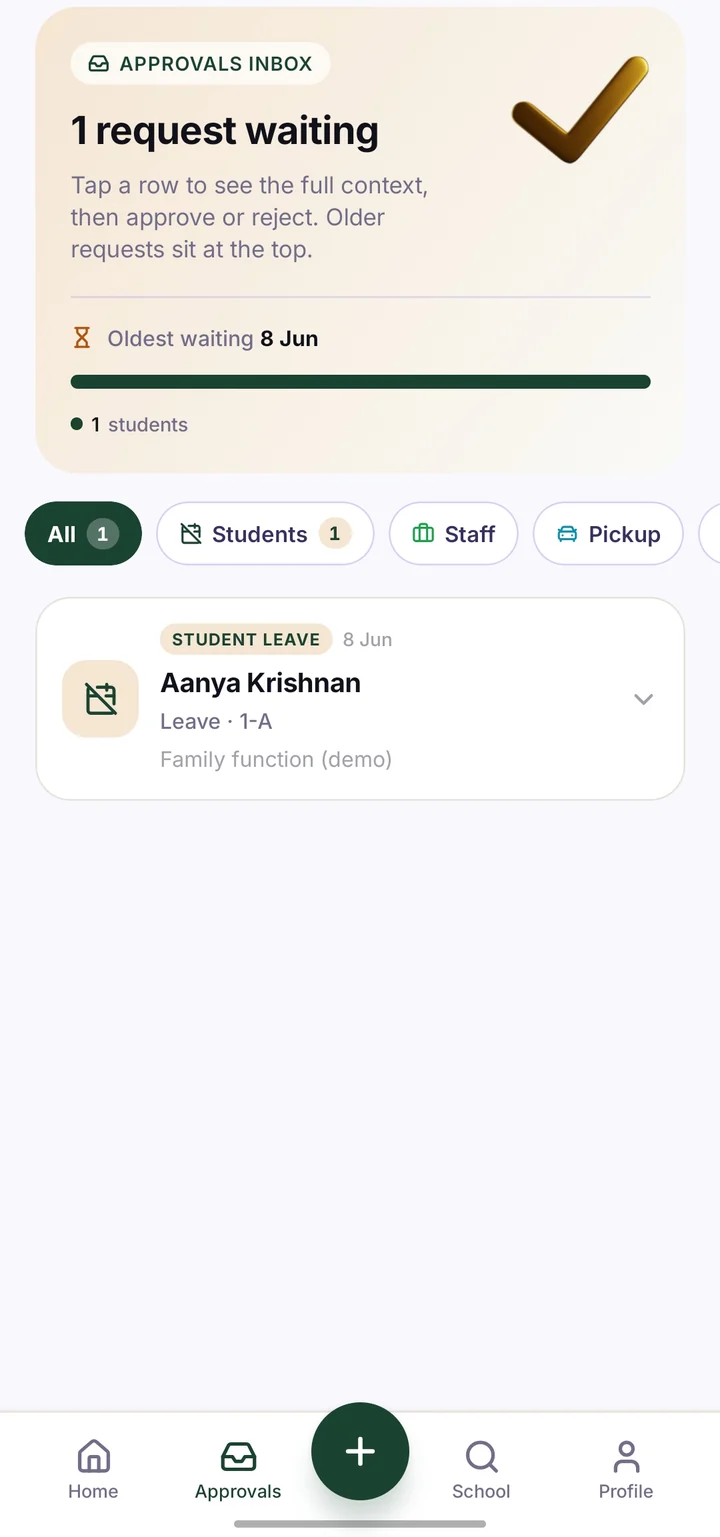
The 8:30 view
Attendance today, class by class: who is absent, late or on a half day, and which classes haven't taken the register. Read-only, and it knows your holidays.
Staff today
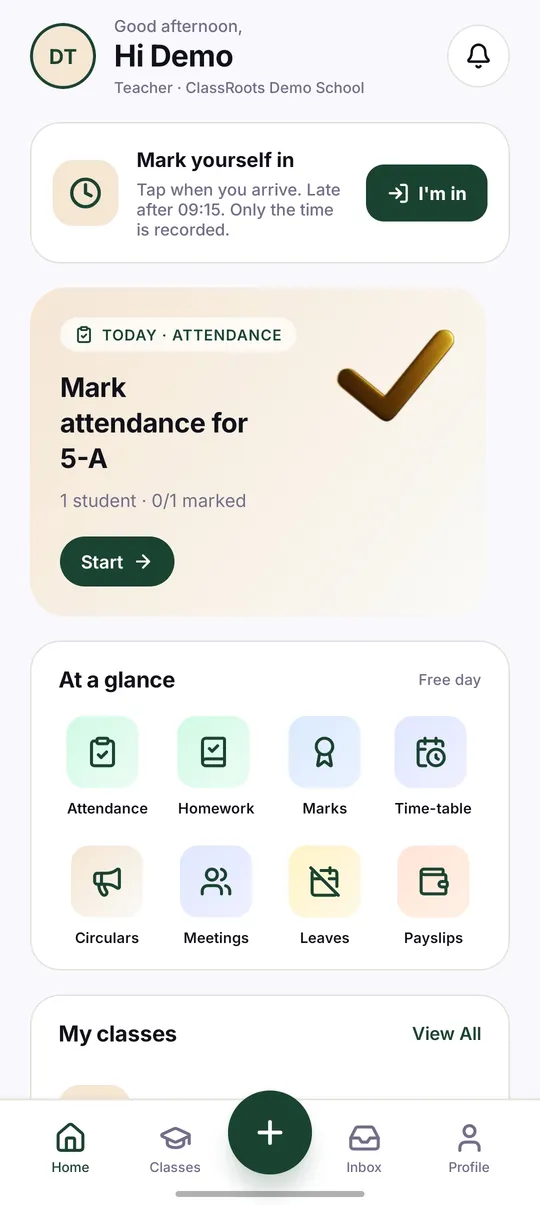
Who is in, late, on leave or not in. If you want it, staff tap “I'm in” on the staff app, with an optional location check that keeps only the distance from school, never the position.
Admission enquiries, the moment they land
Switch on your online admission form and each enquiry reaches the principal's and correspondent's phones, with every answer and the child's age today. WhatsApp or call the family, then mark it contacted.
Expenses and bill scan
This month's spend and unpaid bills on the home screen. Record an expense or photograph the bill — principal and correspondent only.
Approvals
Leave and pickup requests in one inbox. Your school chooses whether leave needs approval, short leave is approved automatically, or it is simply noted.
And the teachers' app
Attendance in one tap per child, homework and daily logs by voice, leave requests and payslips.
Everything a parent asks the office, in one app.
Circulars in Tamil and English with a read receipt the school can see, tonight's homework with a way to hand it in, a message within a minute if their child is marked absent — with a one-tap reply that files the leave note — fees and receipts, and a private line to the class teacher. Parents sign in with a one-time code on their phone number; one login covers children in different schools.
The fee loop above lives in the same app as everything parents already ask the office for.
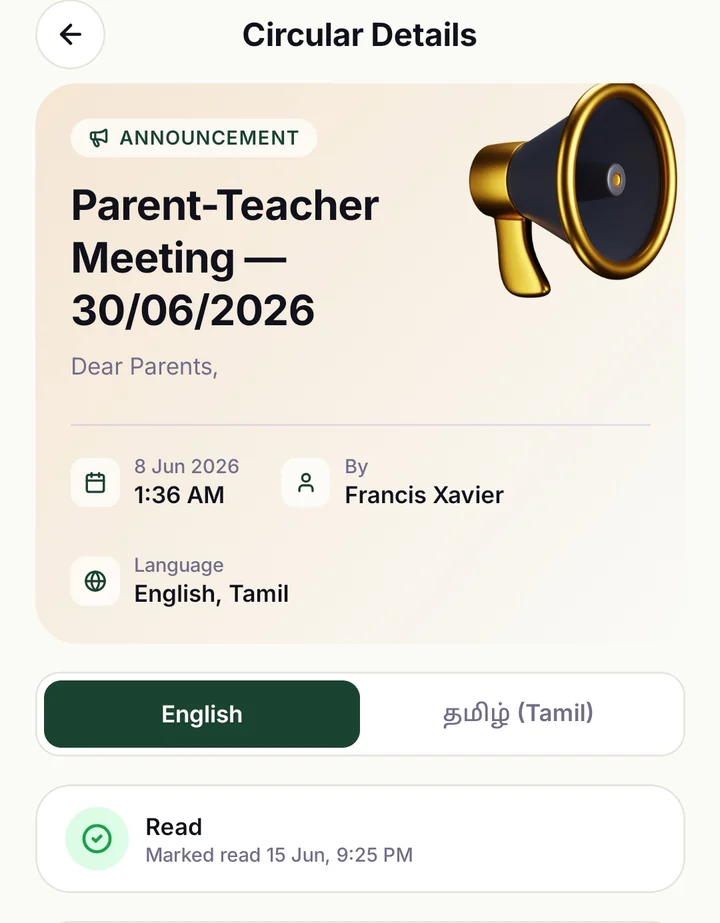
A circular in Tamil or English
Parents pick the language; the school sees who has read it.
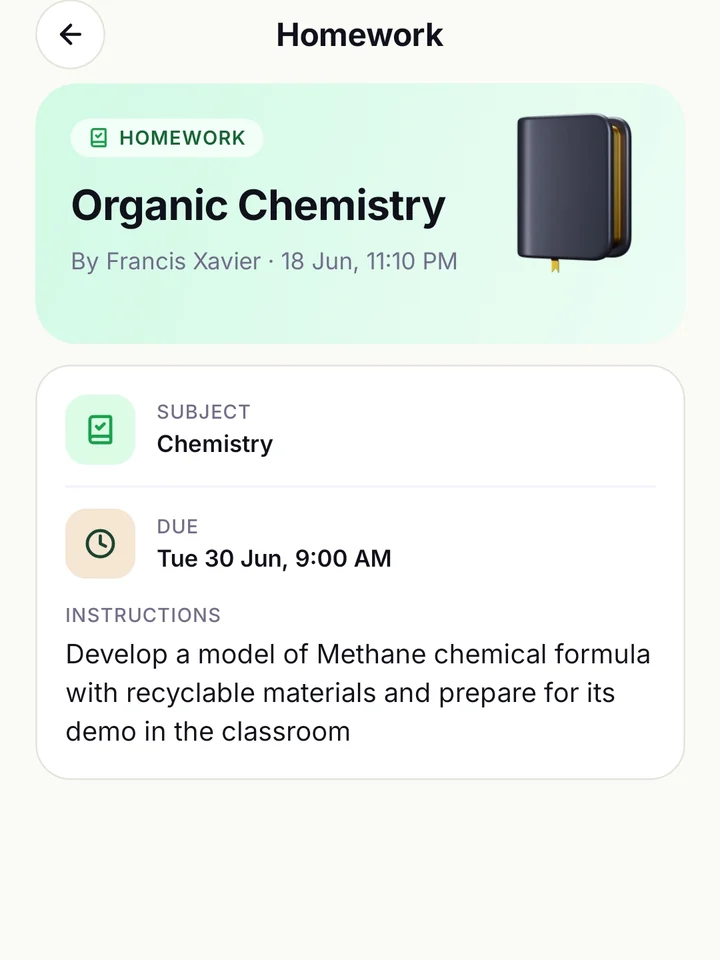
Tonight's homework, due date and all
Instructions and any attachments; the answer goes back as a photo or PDF.
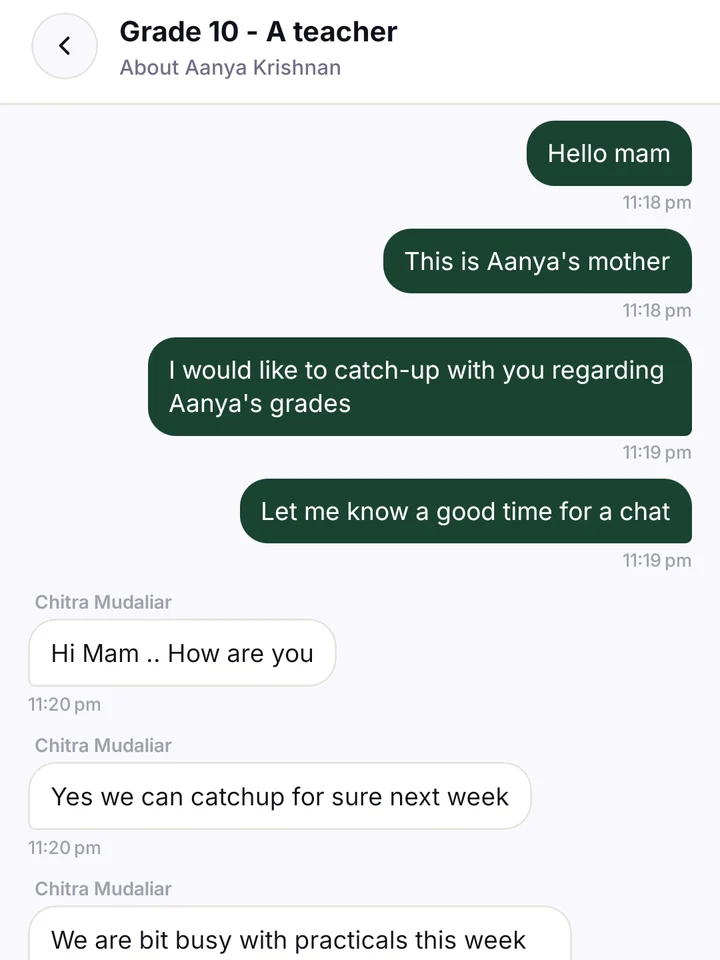
A private line to the class teacher
One-to-one, per child — and the principal can oversee it.
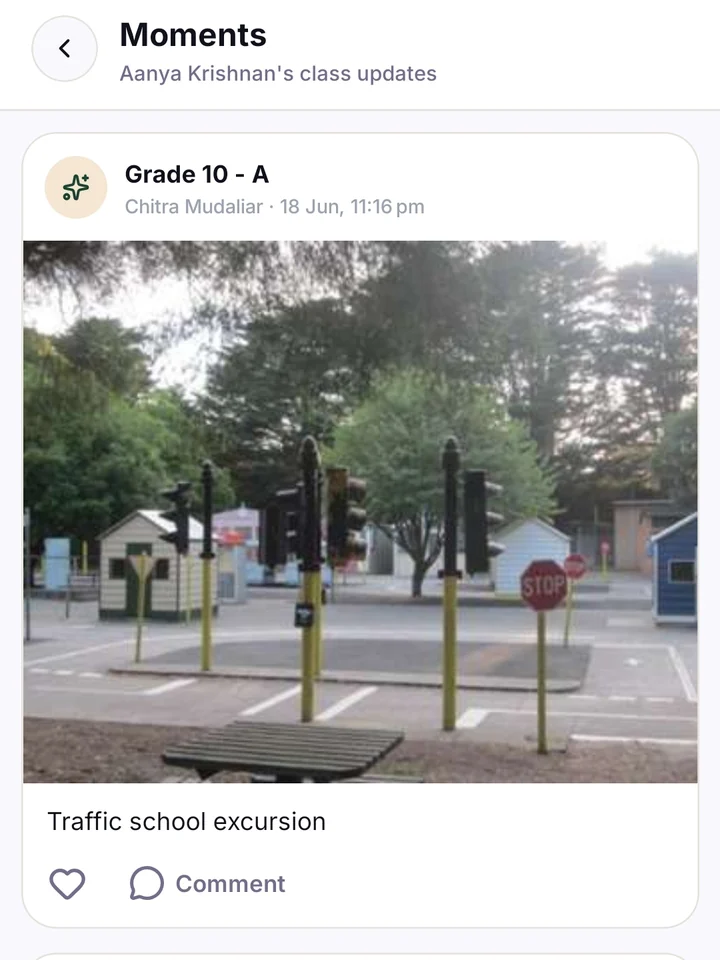
Moments from the classroom
Photos from the day, with the school in control of who appears.
Real screens from the parent app on the demo school (June 2026 build).
AI does the reading and typing. Your staff decide.
Switch Insights on in Settings and a Morning Pulse brief waits for the principal each morning.
Reads payment screenshots and bills. Your office confirms the payment; the principal checks the bill and saves it.
Turns a voice note in Tamil or English into a circular draft, published in both languages after the principal checks it.
Drafts report-card remarks from real marks; the teacher approves each one.
Answers a question like “Class 8 fee collection by month” as a chart or table in the report builder, with PDF and Excel download.
One switch, and it means it. Your staff check what the AI drafts — circulars, homework, remarks, scanned bills — before it is used. Three things do reach parents without a person checking each one: automatic circular translations, the parent assistant's answers and, if you switch it on, the parent “For you” digest. A principal can turn every AI feature off under Settings → Modules; it is enforced on our servers, not just hidden in the app. AI features use Anthropic and OpenAI, in the US. What each one sends
And the rest of the school, in the same system.
Academics
- Timetable generator and substitute finder
- Exams, marks and report-card PDFs
- AI report-card remarks the teacher approves
- Homework with photo submissions
- Weekly learning log for Montessori and early years
Office
- Certificates and TCs from a numbered register
- Admissions funnel, with an online form you switch on
- Holiday calendar
- Switch off modules you don't use
- Correspondent role and Roles & access
- Year-end roll-over
Communication
- Circular Studio — 16 designs
- Voice to homework and daily logs
- Parent–teacher chat with principal oversight
- Parent–teacher meeting booking
- Absence alerts with a one-tap leave reply
Simple, all-in pricing
One price per school. Monthly or annual billing. Free until 31 March 2027 — pay from the new session, no credit card needed.
Under 200 children? Founding schools start at ₹500 a month — first ten only.
Your tier is set when you sign and reviewed only at renewal — growing mid-year never changes your price. Schools above 4,000 students and multi-branch chains: talk to us.
SMS and voice OTP are billed separately as prepaid credit packs. Push notifications are unlimited in every tier.
Every tier includes
- Unlimited parents, staff, and students within tier
- All circulars, fees, homework, attendance, exams, payroll
- Owner P&L dashboard + downloadable P&L statement
- Admissions funnel + online admission form
- Pay-by-UPI to your own UPI ID, confirmed by your office
- Tally export + receipts in your own numbered series
- The AI suite — parent assistant, drafting, screenshot and bill reading — with one switch to turn it off
- Voice everywhere — circulars (Tamil + English), homework + daily logs in any Indian language
- Auto-generated payslip PDFs (every payment)
- Smart fee reminder automation (4-step ladder)
- iOS + Android parent + staff apps
- Onboarding included — same-day setup
- Email + WhatsApp support during business hours
- Export anytime — CSV registers, PDF + Excel reports
Straight answers, before you ask.
What's on for every school, what you switch on, what we set up on request — and where your data goes.
Where each thing stands
Live for every school
- Fee reminders on every due date
- Receipts in your own series and the Tally export
- The P&L statement
- Expenses and bill scan
- The principal's 8:30 view
- Attendance with absence alerts
- Circulars in Tamil and English
You switch on in Settings
- Pay by UPI (add your UPI ID)
- The online admission form
- Staff “I'm in” check-in and its location check
- Insights: Morning Pulse and “For you”
Set up per school, on request
- Card and net-banking payment in the parent app (the parent sees any convenience fee before paying)
- Canteen wallet
Coming next
- Bus boarding register — staff tap children on and off, no GPS
- Fee reminder timings you set per fee
- ID cards and exam hall tickets
Where your data lives
Your school's files — photos, attachments, payment screenshots, bills — are stored privately in Mumbai. The database and servers are in Singapore, and some processing happens in the US, Germany and Australia. AI features use Anthropic and OpenAI in the US, and one switch turns them off. We hold no ISO 27001 or SOC 2 certificate and don't claim one.
Read the privacy policy →What we don't add
ClassRoots adds nothing to a UPI payment into your school's own UPI ID and takes no cut; payments into your account follow the usual UPI rules. The ClassRoots subscription itself is free until 31 March 2027, no credit card; SMS and voice-OTP packs are billed separately.
Questions, before we answer them on the call.
Stop chasing fees.
See it work in 15 minutes.
Book a 15-min demo. We'll show you the screen a parent pays your UPI ID from and your office confirming the screenshot, a bill photographed into an expense, the P&L statement your auditor will ask for, and the AI Tamil voice composer — live, on a sample school.
Pick a slot that suits you — you'll get a calendar invite with a meeting link instantly.